Switch for Home: How to Schedule Your Diwali Lights with a Smart Switch

Deepavali falls on Saturday 7 November in Tamil Nadu and Diwali on Sunday 8 November across much of North India and, for most households, that means strings of lights along balconies, windows and doorways. The simplest way to manage them is a smart switch for home use that lets you schedule the lights to come on at dusk and go off at bedtime, from an app or by voice. A retrofit smart switch fits into your existing switchboard, so there is no rewiring before the festival.
Why schedule your festive lights at all?
Festive lights are usually switched on by hand every evening and, just as often, left burning long after the household has gone to bed. Over a week of celebrations, that adds up to wasted electricity and a nightly round of the house checking switches. A schedule takes care of both. The lights come on at the same time each evening, whether you are at home, out visiting relatives or stuck in traffic on the way back from shopping, and they switch off at an hour you choose.
How does scheduling work on a smart switch?
With iotics Wi-Fi touch plates, every output can be programmed independently via the smartphone application to operate at specific times on chosen days. You simply pick the switch that controls your balcony or façade lights, set an "on" time for early evening and an "off" time for late night, and choose which days it should repeat. The app also lets you create routines and groups, so several switches can turn on or off together. That is useful if your lights are spread across a balcony, an entrance and a pooja room.
Can you control the lights by voice or from a distance?
Yes. iotics switches work with Amazon Alexa and Google Home, so you can ask a smart speaker to turn the balcony lights on when guests arrive or off when the evening winds down. The app works from anywhere, which helps if you are travelling for the festival and want the house to look lived in. Each switchboard also comes with an IR remote, a handy option for older family members who would rather not use a phone or speaker.
Is complete rewiring required beforehand?
No. iotics switches are designed to be retrofitted into your existing switchboard, and no extra hub is needed. They replace the panel you already have, so you keep your current wiring and simply gain app, voice and remote control. One point to check before installation: iotics switches require a neutral wire at the switchboard to work properly, so it is worth confirming this with your electrician first.
What should you check before connecting string lights?
A few simple inspections will ensure your holiday lighting operates seamlessly:
- Confirm which switch on the board actually controls the socket or point your lights are plugged into.
- Compare the total wattage of your lights with the load rating listed on the product page.
- Make sure your home Wi-Fi signal reaches the switchboard reliably.
- Set the schedule a few days early and test it before the guests arrive.
Which iotics switch suits your festive lighting?
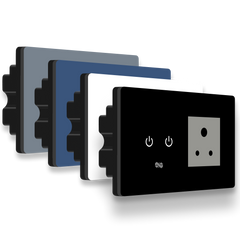
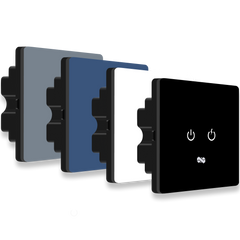
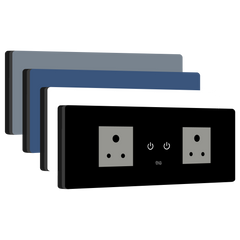
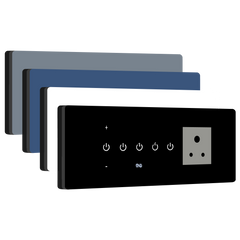
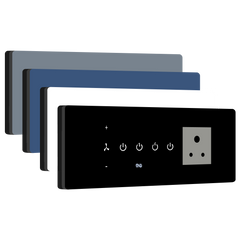
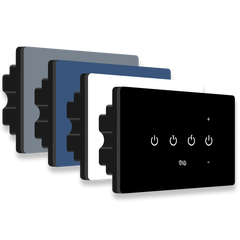
iotics glass touch panels come in 2-, 4-, 8- and 12-gang versions, with variants that include curtain control, dimmers and smart plugs. A 2- or 4-way faceplate generally covers a patio or entrance, whereas multi-circuit boards fit main living spaces where multiple light circuits converge. If your decorative lights plug into a socket rather than a fixed point, a variant with a built-in smart plug may be the neater choice.
Will it still be useful after Diwali?
Very much so. The automated routines managing your seasonal decorations can equally control outdoor lighting, ceiling fans and standard lamps throughout the year, with the toughened glass faceplate engineered to repel fingerprints in daily use. You set up the switch once for the festival and keep the convenience for every season after.
Should you wish to automate your Diwali illuminations this season, browse the collection of Wi-Fi smart switches from iotics and select a unit compatible with your existing backbox, before the festive rush.